Day One Fixes
SolvedHow-toUpdated 2026-11-04
CONTROL Resonant: Restoring console cut content
Short answer
Some content is locked behind limited-time Twitch drops, NVIDIA promotions, specific platforms, or regional restrictions. Once those opportunities are gone, players may have no way to access the items later regardless of how much they enjoy the game. This guide is about restoring supported…
Steam Community guide by ℕukaℂolaV2.
Intro~
I believe Singeplayer game content and cosmetics should remain accessible regardless of where someone lives, which system they play on, or whether they were present for a particular promotion.
Some items are tied to preorders, hardware offers, or limited-time campaigns such as Twitch drops. Once those opportunities end, players may have no way to obtain the items later. This guide is about preserving information and documenting ways to restore supported cosmetics.
There are two separate methods below: a DLL-based wardrobe mod and a standalone save patcher. They work differently and do not necessarily restore the same items.
Please read the description of each method before choosing one.
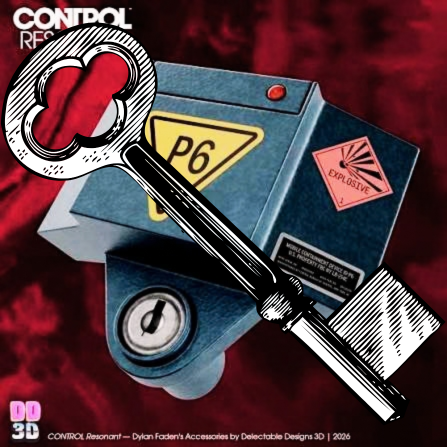
Save Patcher v1.2.0 release supported-item list:
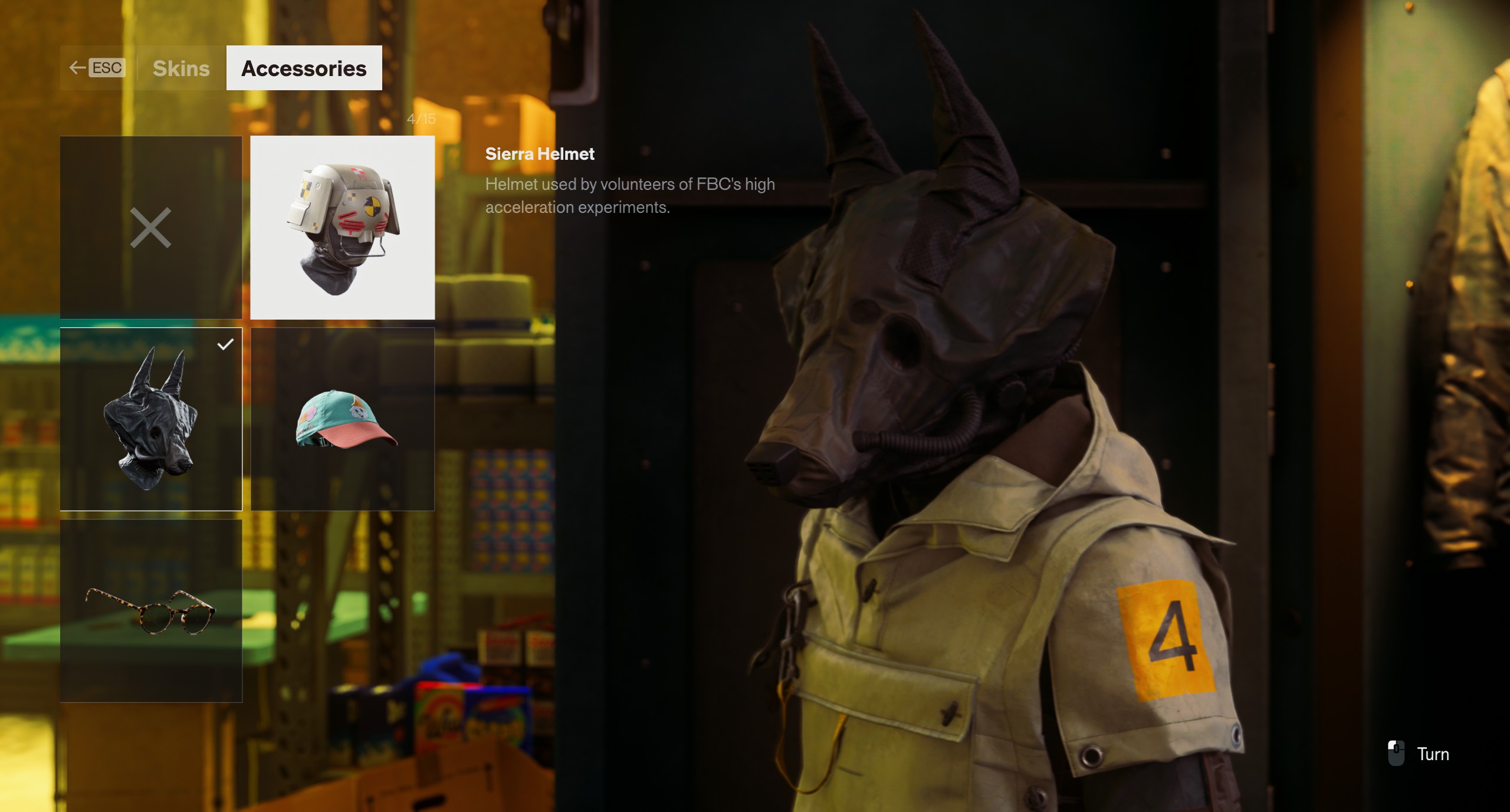
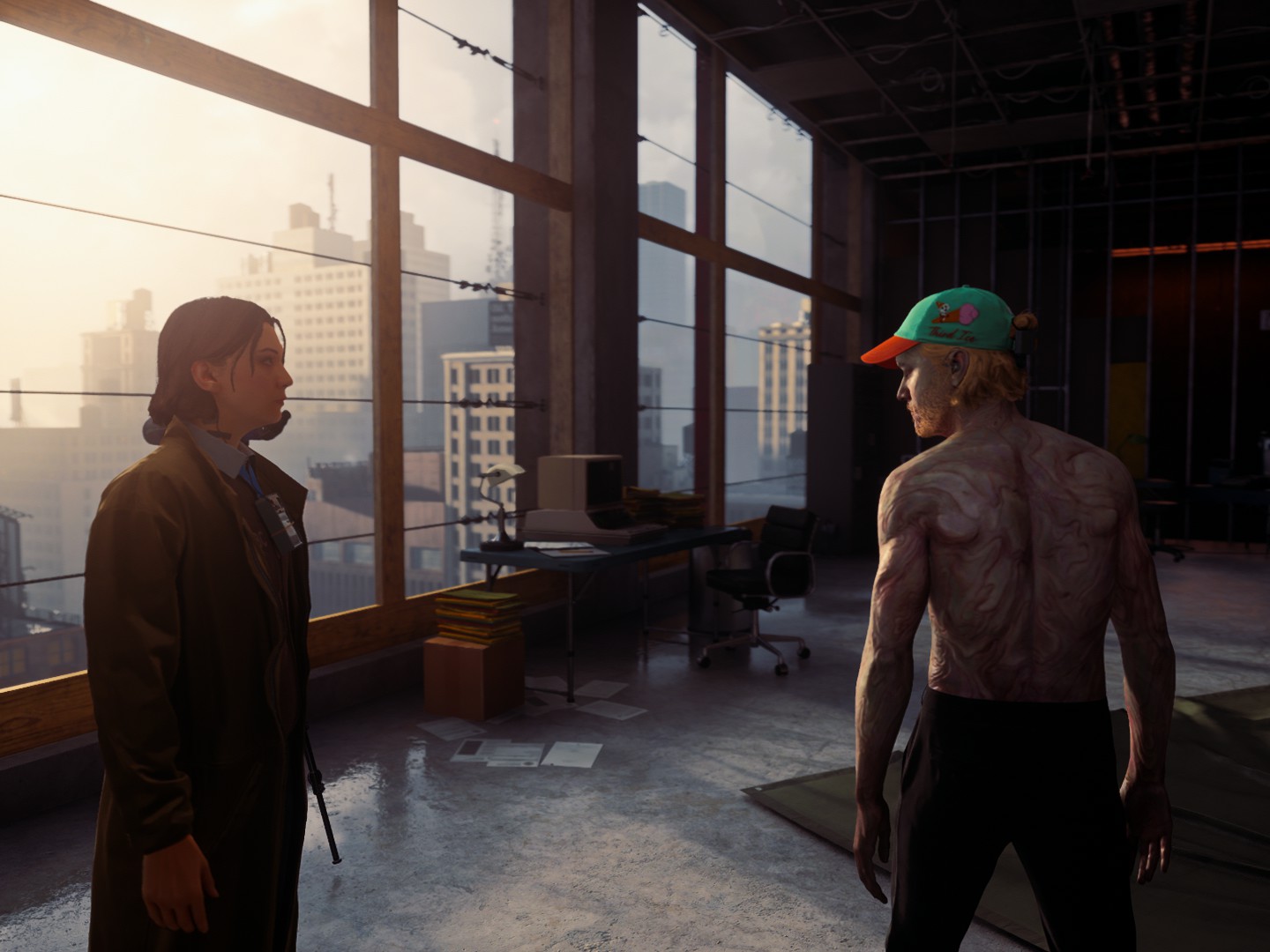
ItemFlag IDReward sourceOptical Filtering Goggles0x2E27C13F1B8BE2ADMailing promotion 2Communications Department Headset0x46780E853CF1A90BMailing promotion 1Sierra Helmet0xB961238CCE640F14Twitch drop 3Sierra Vest0xBF6BE35893F7D586Twitch drop 2Sierra Suit0xEF6FBC7BA02AB697Twitch drop 1MIO Specialist's Robe0xF37DC383C5C5E132China promotionThird Ice Baseball Cap0x5388457983503C2ENVIDIA promotionCracked Standard Issue Sunglasses0x747AFDEFDBABB85BBeta tester rewardThreshold Bureau Coat0x2859E4A7F3D0F7FBPS5 preorderThreshold Bureau Gas Mask0x57C9EA469E42C97BPS5 preorderThreshold Bureau Workwear0xA70D57F494331711PS5 preorderCorrupted0x8F3741DBFF2CB8EBPC / PS5 preorderPickpocket's Tool (charm)0x09FC268427CD1CD6PC / PS5 preorderExposed (shirtless outfit)0x5F7C4166260F3CFDAlso granted by the PC / PS5 preorder entitlement
Choose your method
Method B - Dylan Wardrobe Unlocker (DLL)
A mod loaded when the game starts. Its cr_cosmetics.ini file lets you choose which supported items to change. This is the method to read if you want to enable selected items rather than everything at once.
A DLL is not inherently safer than an .EXE file or tool: both run code. The practical choice here is whether you prefer a mod loaded by the game or a separate EXE tool that patches a save. Back up your files either way.
****
Method A - Control Resonant Save Patcher
A separate, open-source utility that edits a supported save. Version 1.2.0 restores 14 known item flags: 13 cosmetics and the Pickpocket’s Tool charm. These include preorder rewards, mailing promotions, Sierra Twitch drops, the NVIDIA promotion item, a beta tester reward, and MIO Specialist’s Robe.
Unlike the DLL method, this patcher works on a supported save and does not require installing winmm.dll. Its included items are fixed by the patcher version; it is not the method for choosing individual unlocks through an .ini file
My recommendation:
I’d start with Method A, Control Resonant Save Patcher. Its source code and documentation are public and it creates a backup before changing a save.
Open source is not a safety guarantee, but it makes the tool easier to inspect. Choose Method B if you prefer selecting individual unlocks through a configuration file.
Install Method B: Dylan Wardrobe Unlocker (DLL)
This method is no longer available in my guide because many users have reported gamebreaking bugs when saving, meaning it is no longer a viable option!
Method A, the Control Resonant Save Patcher, is a separate tool and is not affected by this notice.
This method uses a DLL mod that loads when the game starts. Its configuration file lets you choose which supported cosmetics to unlock. It is separate from the Control Resonant Save Patcher; you do not need the patcher's EXE for this method.
Archived download
The original mod page is no longer available, so this is an unofficial preservation copy, not an official release.
DL: https://drive.google.com/drive/folders/1uIywfFrW7YaS2aJQhZvx1xpmrq5x6x0y?usp=sharing
Scan: No security vendors flagged this file as malicious[www.virustotal.com]
I scanned the archive and got no detections. That’s reassuring, not a guarantee. As with any mod, use it at your own risk and again: back up your saves first!!
If the original author asks me to remove this archive, I will do so and remove the download link.
Installation:
Close the game and back up your saves.
Find and open the game folder containing CONTROLResonant.exe.
(e.g: C:\Program Files (x86)\Steam\steamapps\common\CONTROL Resonant
Place winmm.dll and cr_cosmetics.ini in that same folder. Do not place them in the save folder.
If a file named winmm.dll is already present, do not overwrite it without checking what installed it first...
Open cr_cosmetics.ini in a text editor before starting the game.
Choose your unlocks:
The configuration in the copy used for this guide has three possible values:
#true to unlock an item.
#false to leave an item unchanged.
#lock remove its unlock status. Avoid lock unless you deliberately want to remove (forever) an item.
Save the configuration, start the game, and load the save you want to modify. Check the wardrobe afterward. If the mod creates cr_cosmetics.log, you can also read it to see what changed.
Important: The configuration states that changes are stored in the save when it loads. Removing the DLL or setting an option back to false does not automatically undo an unlock already applied to that save. Keep your backup!!
Install Method A: Save Patcher ❤~
Source: Control Resonant Save Patcher on GitHub[github.com]
What version 1.2.0 restores:
Control Resonant Save Patcher restores 14 known item flags: 13 cosmetics and one charm:
These are the items listed for version 1.2.0, not a promise to unlock every cosmetic in the game. The patcher also handles the associated applied-entitlement entries. It retains automatic backups, selection of the newest save, checksum handling, and the optional --check mode.
Windows status: The repository owner reports that version 1.2.0 was tested and confirmed working with the current game version on September 27, 2026. The analyzed game executable version was 0.563.737.9. Future game updates may affect compatibility.
Installation:
Close the game.
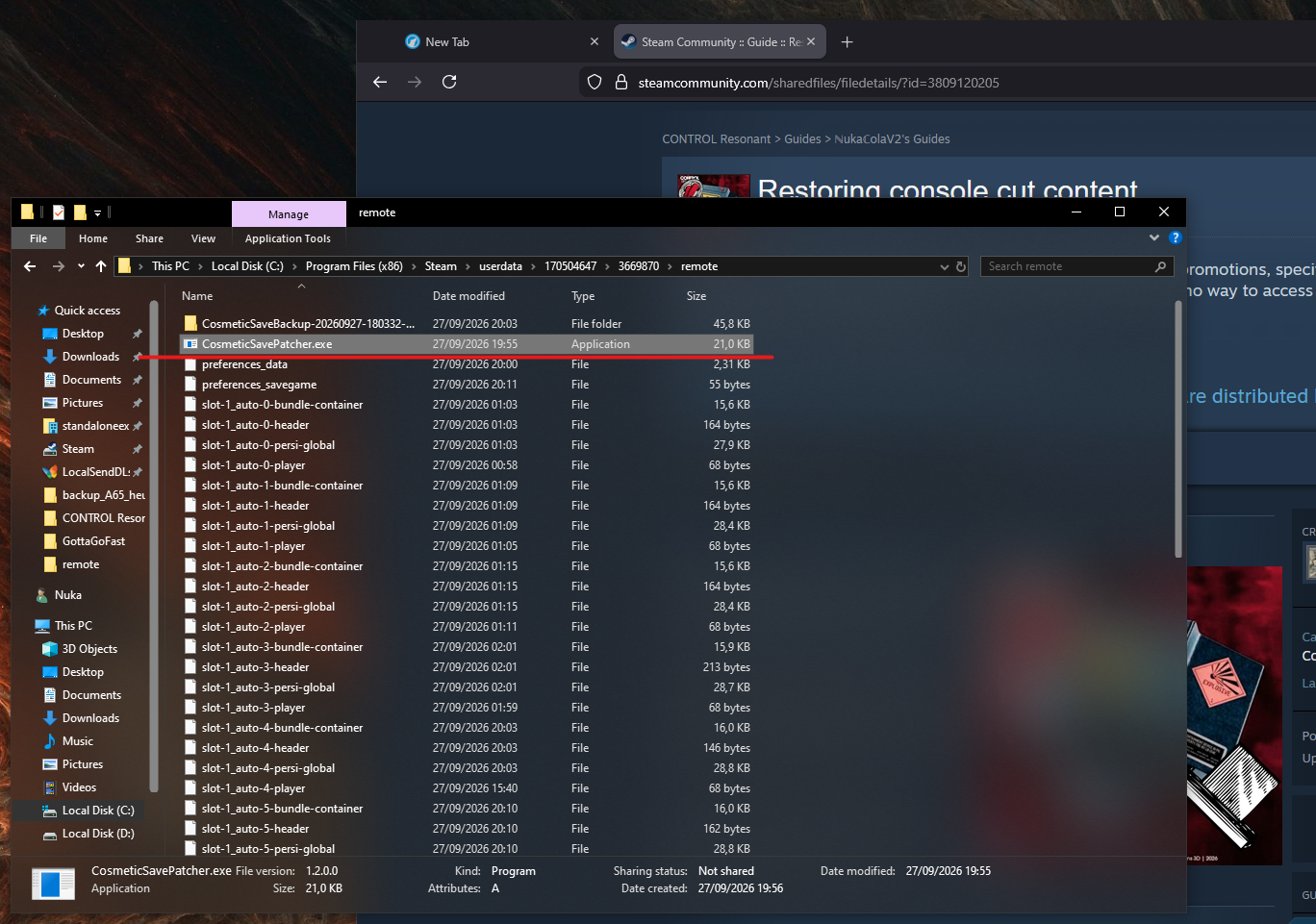
Open your Steam save folder: (e.g: C:\Program Files (x86)\Steam\userdata[Steam-ID]\3669870\remote)
Make your own copy of the save folder before proceeding. The patcher also creates an automatic CosmeticSaveBackup-... folder when it patches a save.
Download CosmeticSavePatcher.exe from the repository’s Releases page and place it directly in Steam remote folder and put CosmeticSavePatcher.exe inside it beside the save files.
Double-click the patcher. Read its result before pressing Enter to close it.
Start the game normally and load the patched save.
Enjoy!
DL for Windows : https://github.com/Gh0stR1pp3r/control-resonant-save-patcher/releases/latest/download/CosmeticSavePatcher.exe
DL for Linux x64 / Steam Deck
Download the Linux x64 version of CosmeticSavePatcher.[github.com]
For installation and save-folder instructions, follow the project's Linux setup guide[github.com] and Steam/Proton save-folder guide.[github.com]
A Linux user reported that it executed successfully from the Steam userdata save folder. That report does not confirm in-game results, name a Linux distribution, or establish Steam Deck compatibility. Back up your saves before trying it.
Note: The tool patches the newest save set in its own folder, based on the date stored inside the save. It does not search subfolders. If you want to patch a particular save instead, follow the repository’s “Choosing the save” instructions and keep that save’s four matching files together.
Troubleshooting & backups
The DLL method does not appear to work: Confirm that winmm.dll and cr_cosmetics.ini are beside CONTROLResonant.exe, review the options you enabled, and check for cr_cosmetics.log. Do not overwrite another mod’s winmm.dll without investigating a possible conflict.
The save patcher reports an error: Check that it is beside the save files, that the selected save has a complete set of four matching files, and that your game/save version is supported. The tool stops rather than patching unsupported or invalid save layouts.
The patcher changed the wrong save: It selects the newest complete save set in its folder. Follow the project’s “Choosing the save” instructions to work on a specific save instead.
To undo a save patch: Close the game and restore the four files from the patcher’s CosmeticSaveBackup-... folder. If you used the DLL method, restore the save backup you made before loading it with unlocks enabled.
Sources & credits
Dylan Wardrobe Unlocker: Original author currently unknown. The original mod page is no longer available. I will add verified credit if I can identify or hear from the author.
Control Resonant Save Patcher: Created and maintained by Gh0stR1pp3r. Please use the original repository for its releases, documentation, updates, and issue reports.
This guide documents the two methods separately. Credit for each tool belongs to its respective creator; I did not create either tool.